


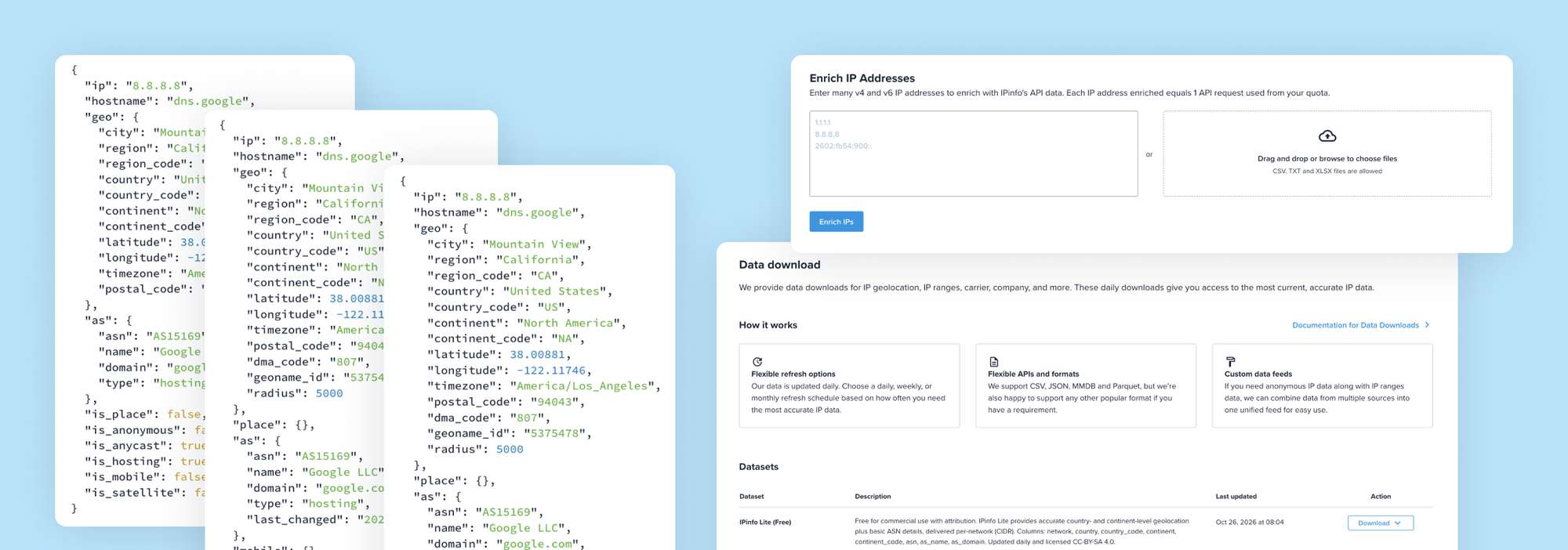
Get Unlimited Access to IPinfo Lite
Start using accurate IP data for cybersecurity, compliance, and personalization—no limits, no cost.
Sign up for freeSince 2013, IPinfo has made it easier to work with accurate IP address data. You can start with basic geolocation and ASN data for free, or access more detailed IP intelligence as your IP data needs grow.
If you're new here, this guide will help you find the best place to start with us. We'll walk through IPinfo Lite and the paid plans, before looking at integrations and developer tools. We'll also cover the free tools you can use to explore IP data directly.
In this guide:
- Starting with IPinfo Lite
- Choosing and Setting Up a Paid IPinfo Plan
- How to Use IPinfo Through Integrations and Developer Tools
- Exploring IPinfo's Free Tools
Starting With IPinfo Lite
IPinfo Lite is the easiest way to start using IPinfo data in your applications. It's free and gives you unlimited API requests or a downloadable database for country-level geolocation and basic ASN data, making it a useful starting point if you don't yet need more granular IP intelligence.
If you need more granular geolocation or additional IP intelligence, such as city-level geolocation or privacy detection, you'll need to move to one of our paid plans.
Create Your Account and Find Your Access Token
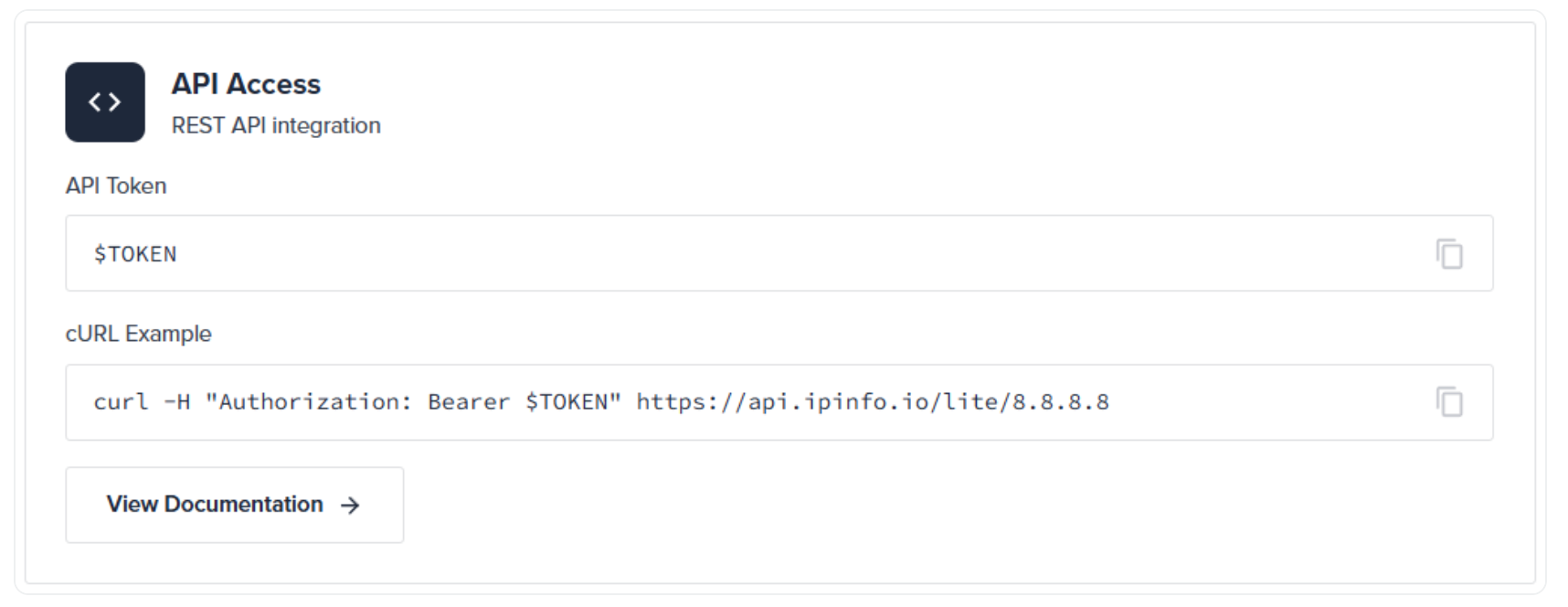
Start by creating a free IPinfo account. Once you're signed in, head to your account dashboard, where you'll find the access token you need to authenticate your API requests.
Your access token is unique to your account and should be treated like a password. You'll use it when making requests, so keep it somewhere secure and avoid sharing it publicly.
Make Your First API Request
With your access token ready, you can make your first request using the IPinfo Lite API. Add an IP address to the Lite endpoint, followed by your access token:
https://api.ipinfo.io/lite/8.8.8.8?token=$TOKEN
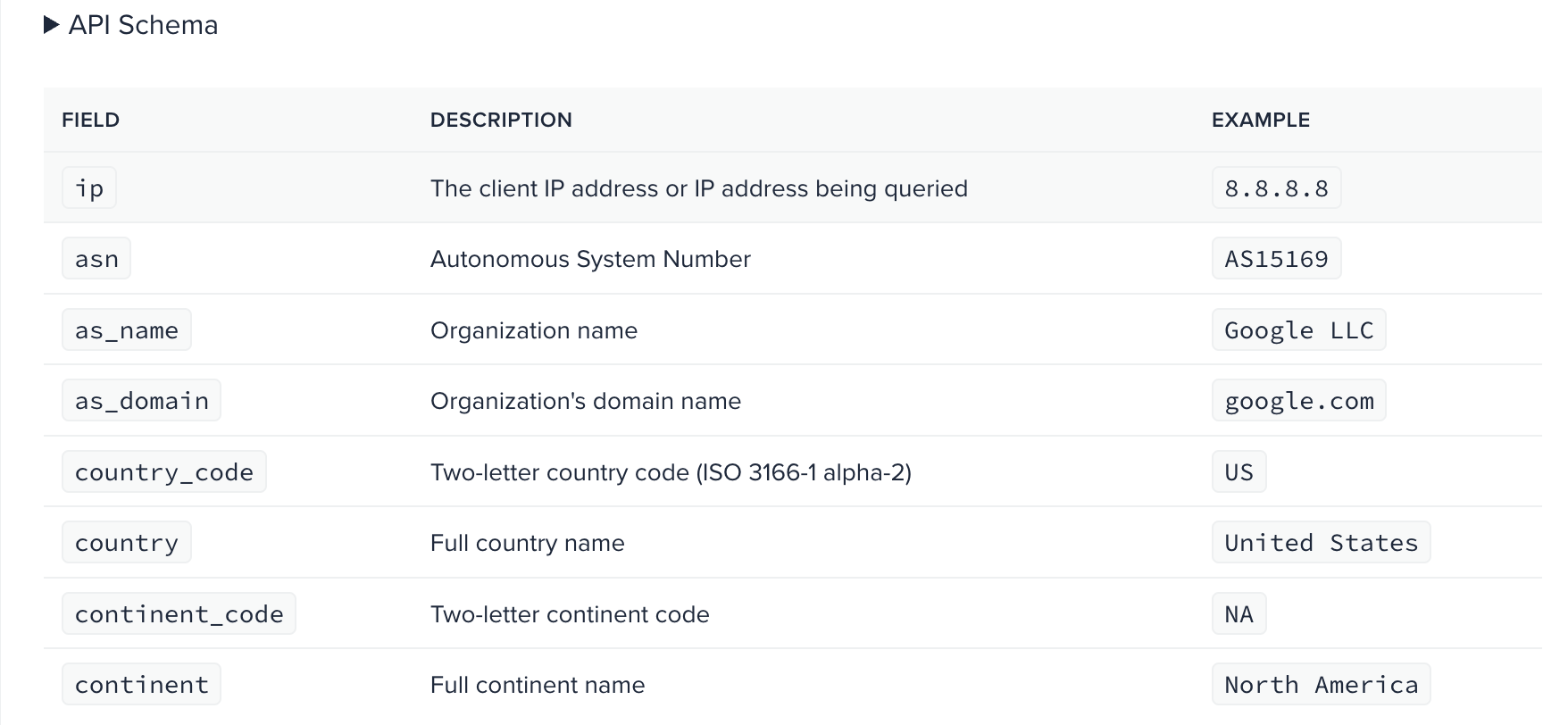
The response includes country and continent information alongside basic ASN data, such as the AS name and domain of your input IP address (e.g.8.8.8.8). You can also replace the IP address with /me to return information about your own IP address.
Note: If you're using Lite data publicly, remember to attribute IPinfo as your data source.
Keep Track of Your Activity
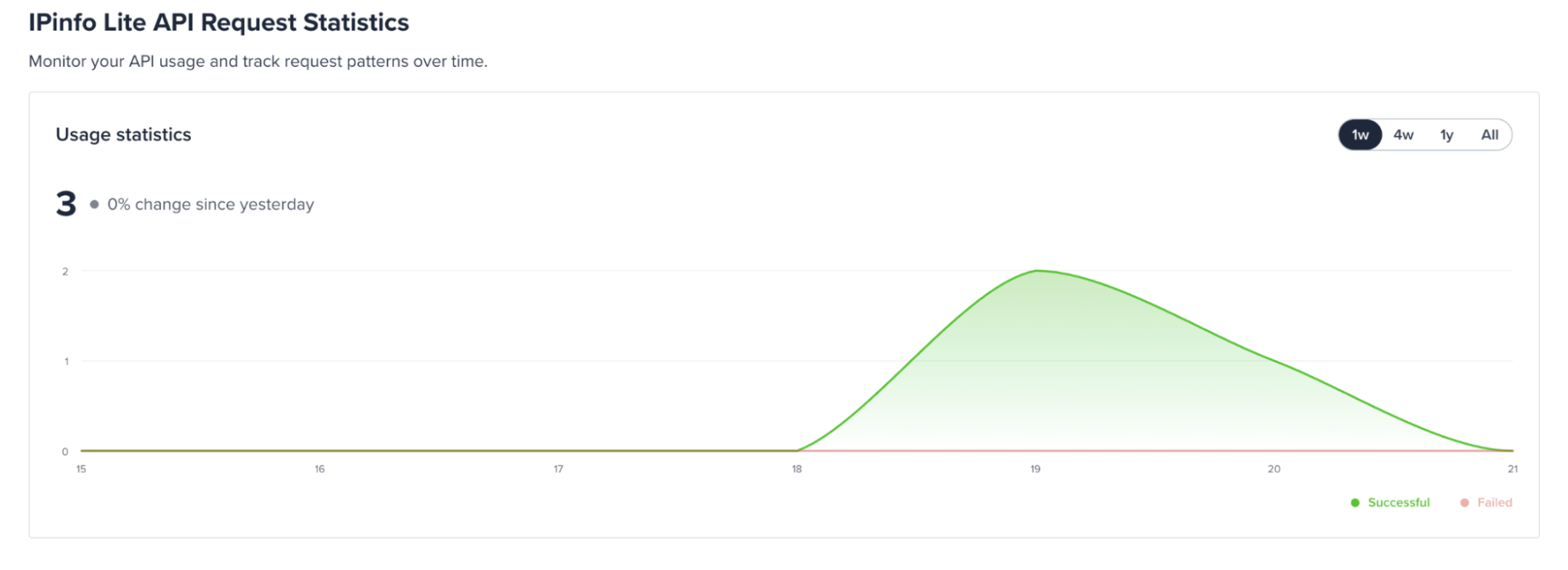
You can see how you're using Lite from the IPinfo Lite dashboard. The dashboard provides Lite API request statistics, so you can keep track of your activity even though authenticated Lite requests are unlimited. Usage statistics are updated with a 24-hour delay.
Secure Your Access Token
Before using your access token in an application, take a moment to secure it. We let you restrict token usage to approved domains or requesting IP addresses, so it rejects requests from other sources even if your token is exposed.
For frontend applications, you can ‘allowlist’ the domains making requests. For backend applications, you can restrict access to your server's IP address or domain. See our guide to securing your API token for full setup instructions.
Choosing and Setting Up a Paid IPinfo Plan
If you need more detailed IP data than Lite provides, we offer four paid plans: Core, Plus, Max, and Enterprise. Each builds on the data available at the previous level, so the right option depends on the IP intelligence you need and how you plan to use it.
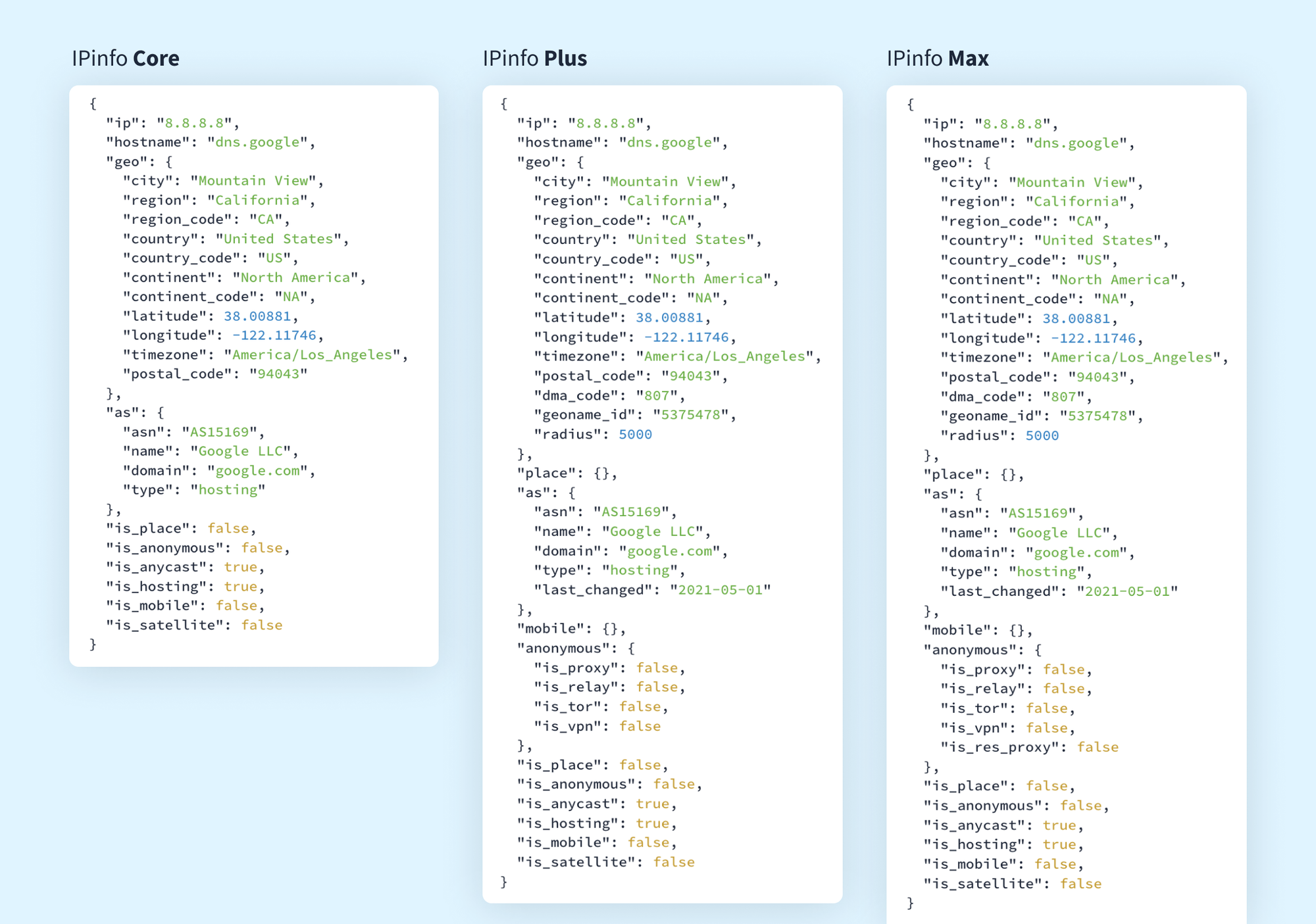
Think about the fields you actually need before choosing a tier. Core is a natural starting point when you need city-level geolocation, additional network context, and a Places venue flag, while Plus adds more detailed privacy and carrier intelligence along with the Places venue name and category. Max is designed for use cases that need our broadest self-service dataset, including residential proxy intelligence and the full Places dataset. You can compare the fields returned by each plan before subscribing to see which response best matches your use case.
Make Your First Paid API Request
Once you've chosen a plan, sign in to your IPinfo dashboard to find the access token you'll use to authenticate your API requests.
IPinfo Core, Plus, and Max use the api.ipinfo.io API URL and /lookup endpoint. Add the IP address you want to look up, followed by your access token:
https://api.ipinfo.io/lookup/8.8.8.8?token=$TOKEN
The fields returned depend on your plan, with Plus and Max progressively adding more detailed data to the response. You can compare API responses across IPinfo plans to see what's included in each tier.
Monitor Your Usage
Each paid API plan includes a monthly request allowance that resets on the first day of each calendar month. You can track your usage from the IPinfo dashboard, where you'll see how many requests you've used and how many remain for the month.
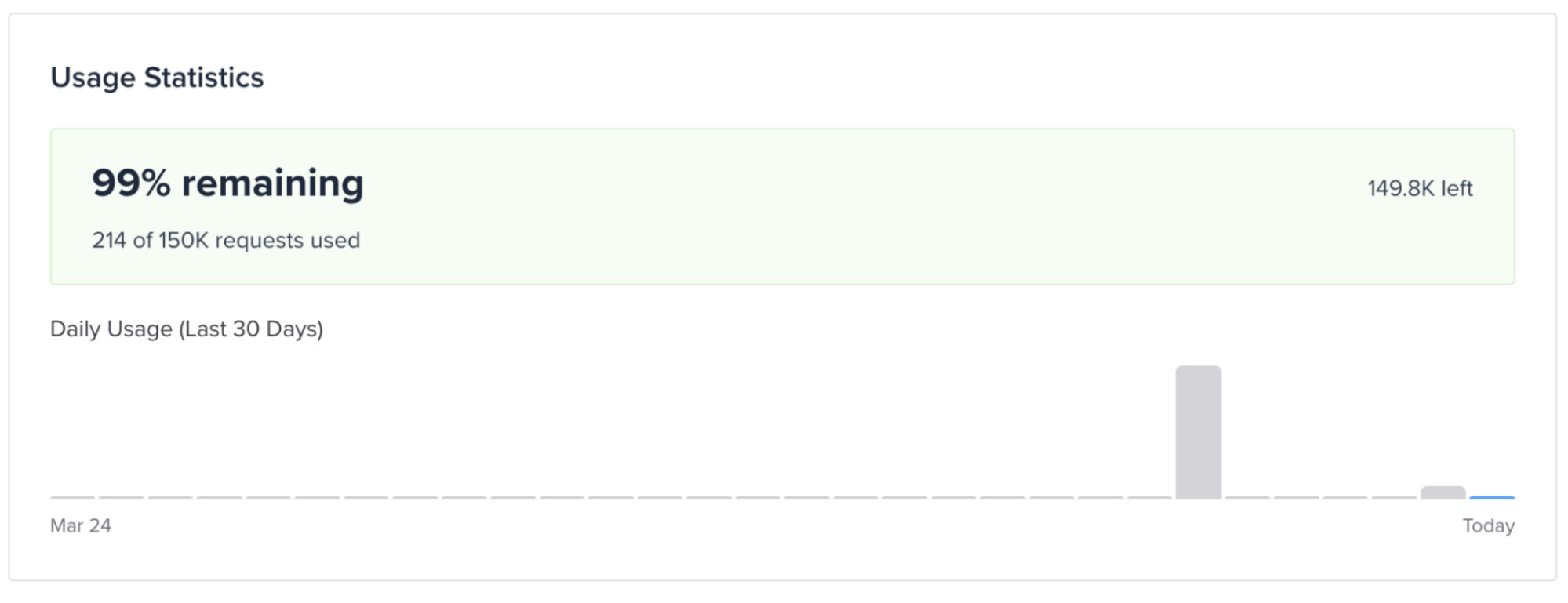
If you reach your plan limit, you can choose to continue making requests and pay for additional usage, or disable overage billing, in which case API requests return a 429 status code once you reach your limit. We’ll also email you when you reach 80% and 100% of your monthly allowance.
Access IPinfo Databases
If you need to work with IPinfo data locally rather than making API requests, you can purchase access to downloadable IP databases. This can be useful when you're processing large volumes of IP data locally, need to minimize lookup latency, or want to work with the data without making a request for every lookup.
Database subscriptions are separate from the Core, Plus, and Max API plans, so you'll need access to the relevant database before you can download it.
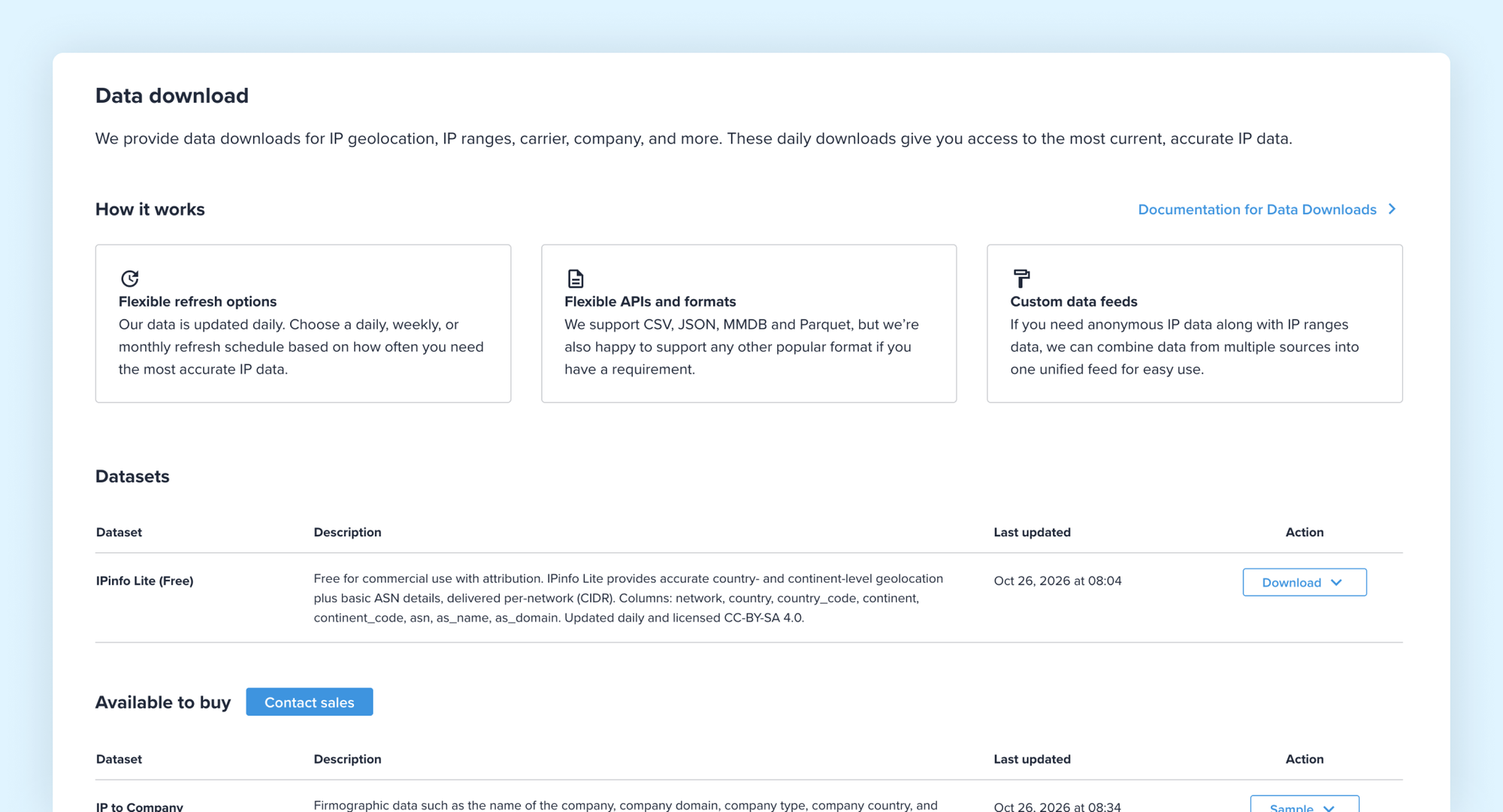
Once you have access, head to the Downloads page in your dashboard. You'll see the datasets available to your account and can choose from supported formats including CSV, JSON, MMDB, and Parquet. You can also preview sample files before downloading the full dataset.
Get Help With Enterprise Requirements
If your requirements go beyond the self-service plans, IPinfo Enterprise provides access to additional datasets, custom request volumes, and dedicated support. You can work with our team to determine the data and delivery method that best fit your requirements.
Contact us to discuss your use case and get help setting up an Enterprise plan.
How to Use IPinfo Through Integrations and Developer Tools
If you want to use IPinfo within an existing platform or development workflow, you don't have to start by building directly against the API. We offer integrations with data and security platforms, alongside developer tools for working with IP data in your preferred environment.
Connect IPinfo to an Existing Platform
We offer native integrations that let you use IP intelligence within platforms you may already work with, including Snowflake, Google BigQuery, Microsoft Sentinel, Cribl, and Splunk.
Start by checking the available IPinfo integrations to find the platform you use and follow its setup instructions.
Use an IPinfo SDK
If you're building IPinfo into an application, you can use one of our official SDKs instead of working directly with HTTP requests. We maintain open-source libraries for more than 11 programming languages and frameworks. They provide a ready-made way to authenticate requests and perform IP lookups from within your existing codebase.
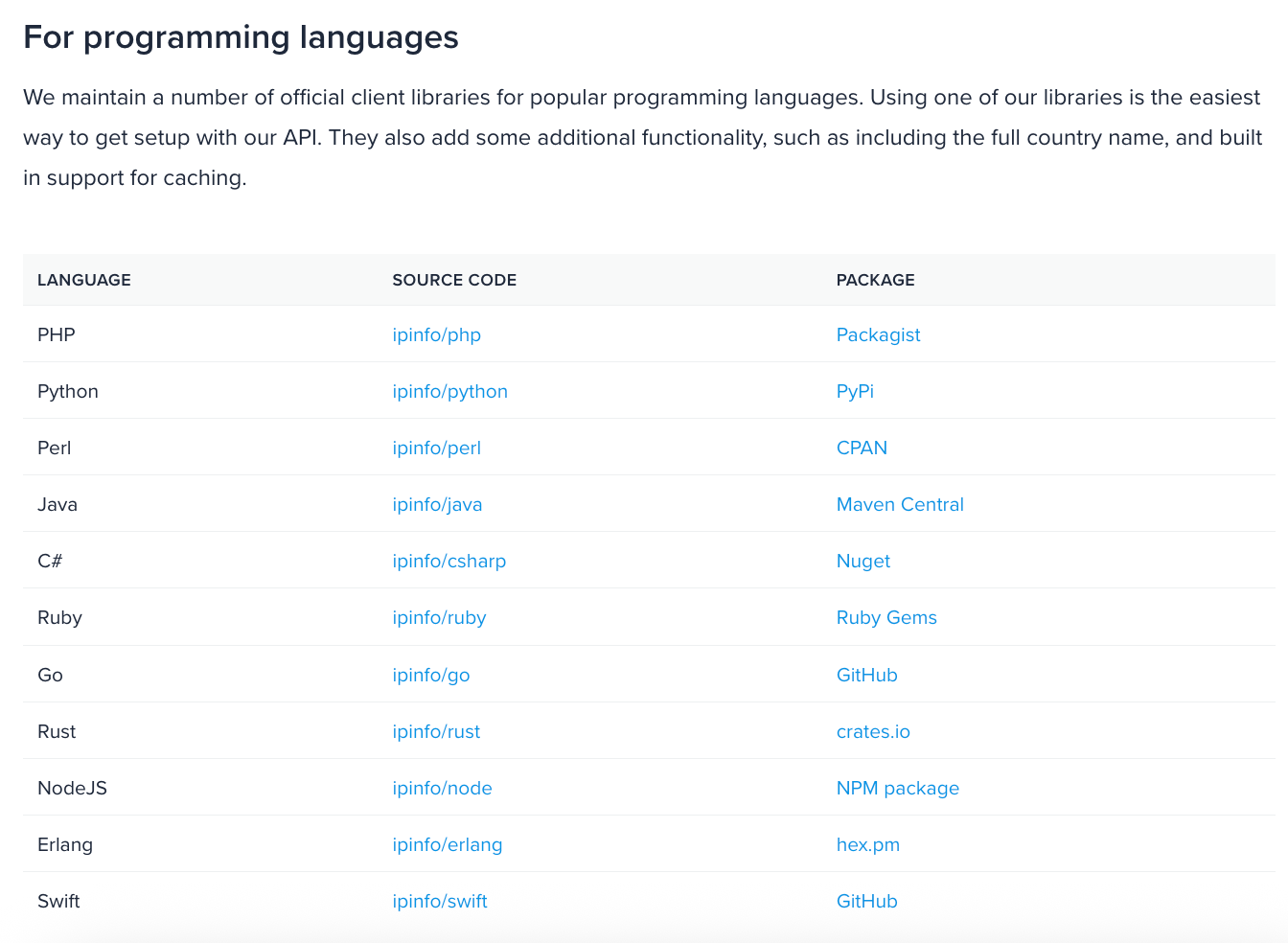
Choose the library for your preferred language and follow its installation instructions. You'll need your IPinfo access token to authenticate requests and start making IP lookups.
Work From the Command Line
The IPinfo CLI lets you work with IP data directly from your terminal. You can use it for quick IP lookups or bulk operations without building your own application.
Install the CLI, add your IPinfo access token, and you can start running lookups from the command line. It can also be used with IP lists and IPinfo databases for larger workflows.
Connect IPinfo to AI Tools With MCP
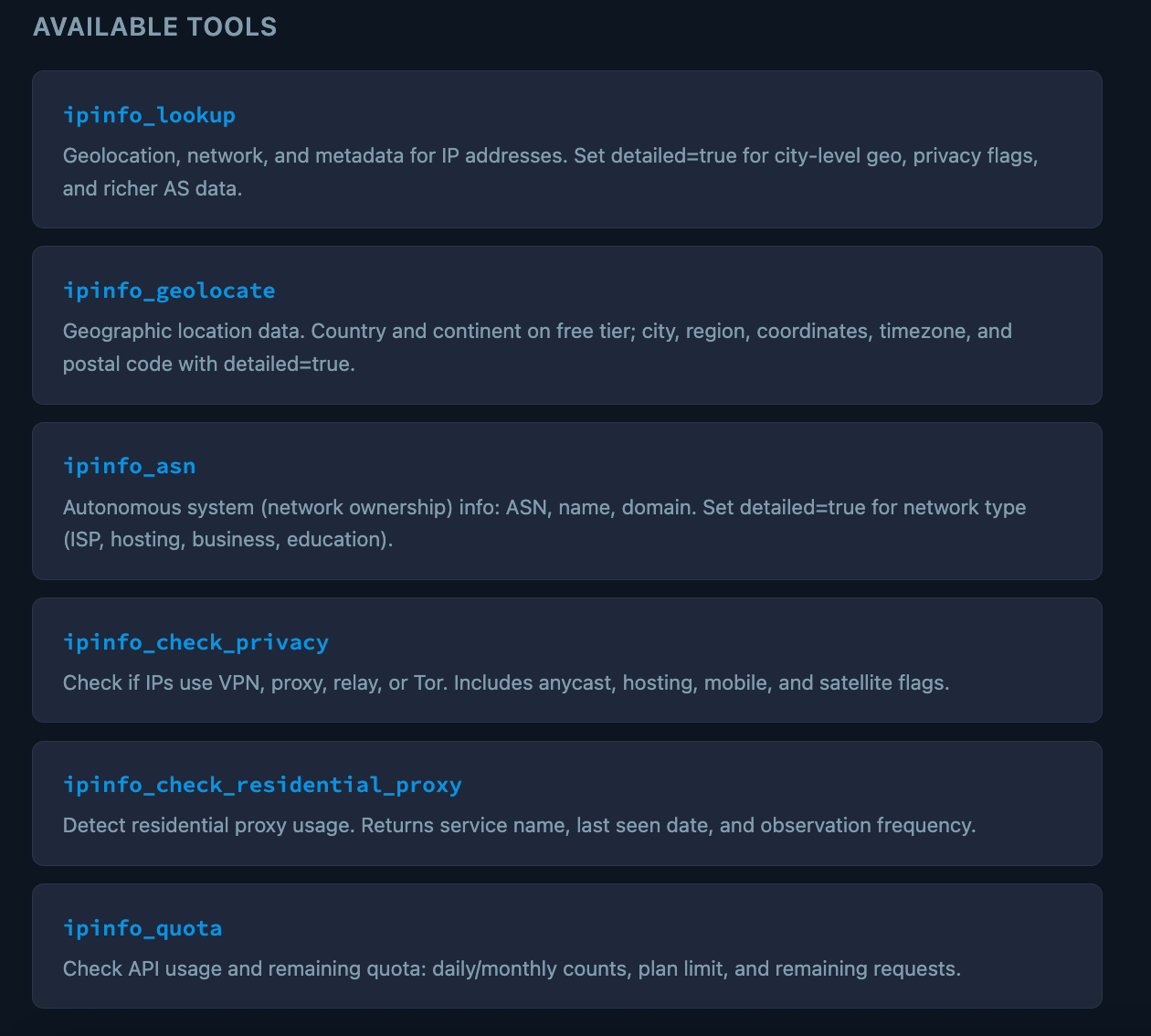
The IPinfo MCP Server lets compatible AI tools access IP intelligence directly. It supports clients including Claude Desktop, Visual Studio Code, Cursor, LM Studio, Gemini CLI, Claude Code, and Codex CLI.
Choose your MCP client, add your IPinfo access token, and follow the relevant setup instructions to connect to the server. Once connected, you can use IPinfo tools for tasks such as IP lookups, geolocation, ASN lookups, and privacy checks.
Exploring IPinfo's Free Tools
If you want to explore IP data without setting up an API integration or writing code, we offer a collection of free browser-based tools. You can use them to investigate individual IPs, work with lists of addresses, visualize IP data, or perform common network lookups.
Look Up and Enrich IP Addresses
For a quick lookup, enter an IP address into IPinfo to see the information available for that address. If you're working with a list, the Enrich IP tool lets you enter IPs directly or upload a CSV, TXT, or XLSX file containing up to 1,000 addresses.
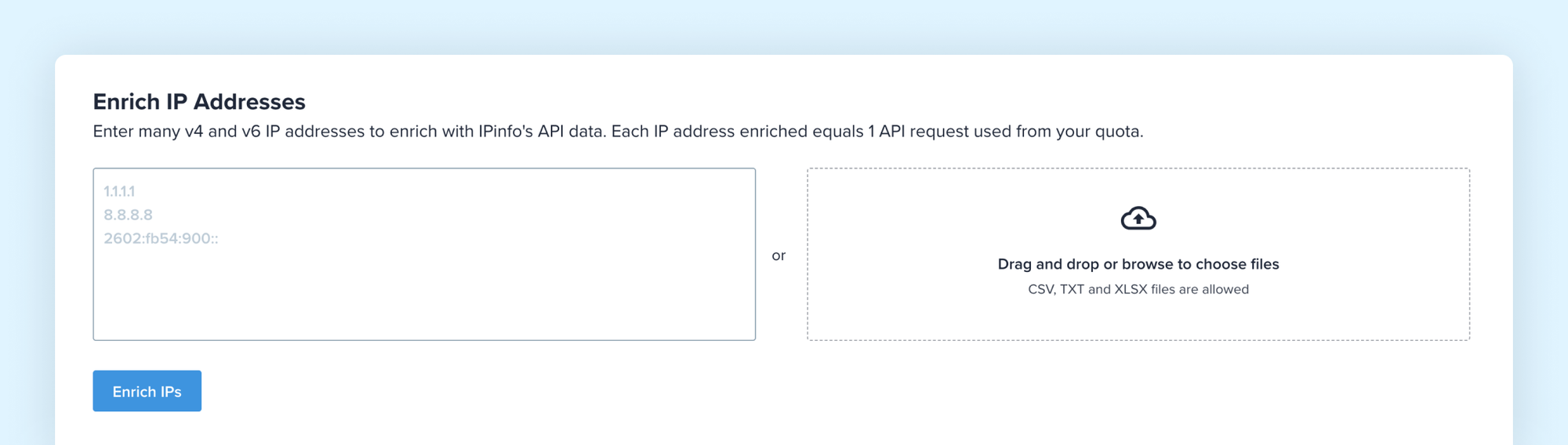
The results reflect the data available with your specific IPinfo plan. You can review them in your browser, then copy the results or download the enriched file for further analysis. Each IP address you enrich counts as one API request against your plan's quota, and results aren't saved for later retrieval, so download anything you want to keep before leaving the page.
Map and Summarize IP Data
If you want a visual overview of a larger set of IP addresses, use our free Map IPs and Summarize IPs tools.
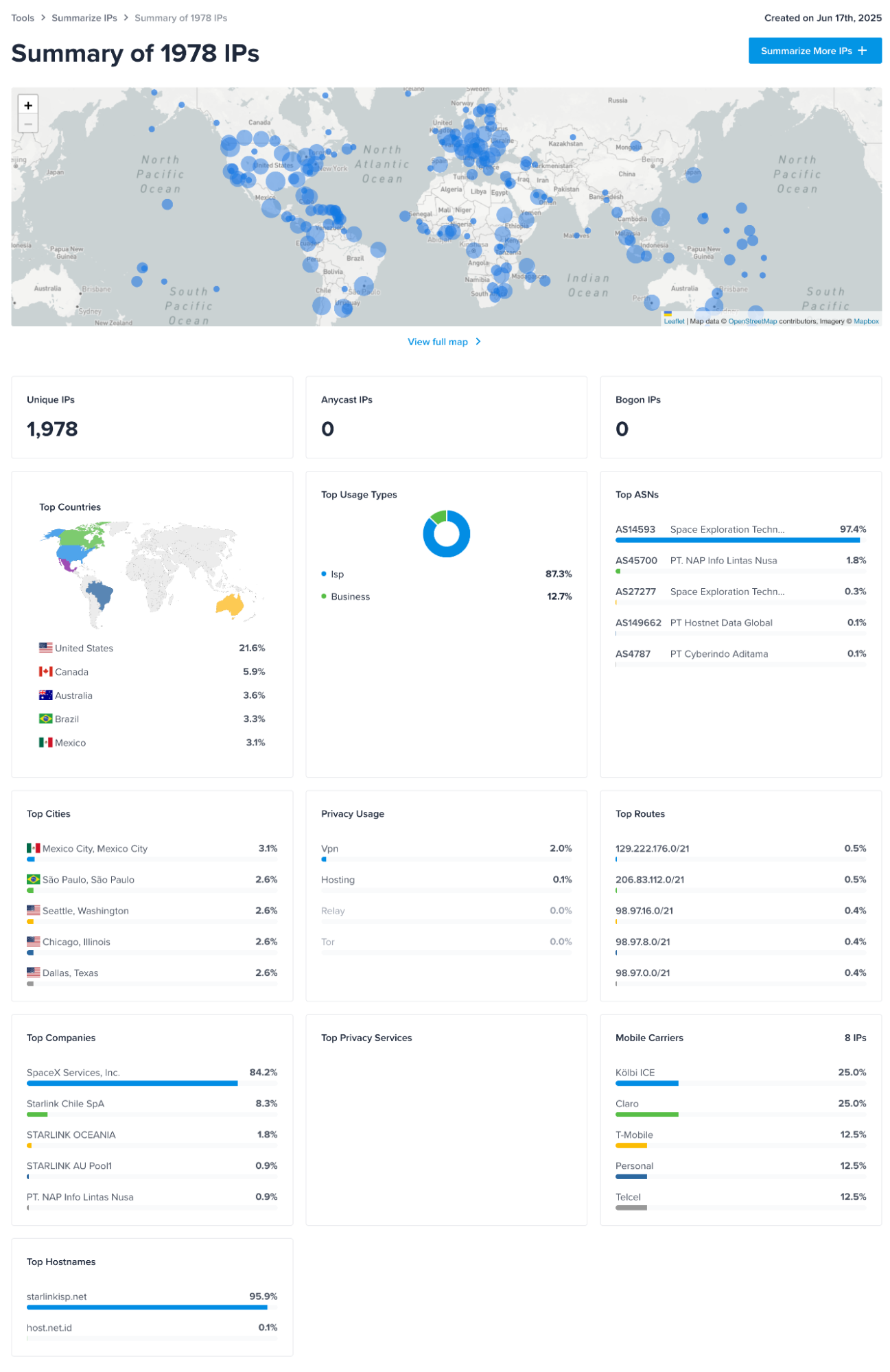
Map IPs can plot up to 500,000 IP addresses on an interactive map, while Summarize IPs provides an overview of patterns across a list, including location, IP types, privacy information, and the most common ASNs.
Explore More IP Tools
We also provide free tools for more specific networking tasks, including reverse DNS lookups, CIDR conversion, finding pingable IP addresses, and testing geolocation and latency through ProbeNet Live.
Head to the IPinfo Tools page to explore the full collection and choose the tool that matches what you want to investigate.
Where to Go Next
Once you've explored IPinfo, the next step is to test it against the IP data and workflows you actually plan to use. Try a representative sample of IP addresses and check that the fields returned give you the level of detail you need. If you're planning a larger implementation, consider whether API access or a downloadable database makes more sense for your request volumes, latency requirements, and how you want to access the data.
It's also worth testing your setup before moving it into production. Check how IPinfo fits into your existing application or platform, secure your access token, and monitor your request volumes as usage grows.
The IPinfo developer documentation has API references, database documentation, code examples, and implementation guides to help you take the next step. For more specific requirements, you can also contact our team for guidance on the right setup for your use case.
Share this article


About the author

Abdullah leads the IPinfo internet data community and he also works on expanding IPinfo’s probe network of servers across the globe.